Skip to content
KakobuySpreadsheet Routes
Menu

Kakobuy · Spreadsheet Routes

How to use Kakobuy: eight steps, with the payments explained

Follow the official product-to-receipt sequence, with all seventeen original tutorial images and a clear record of each payment stage.

Search the product catalogue
In this guide

Official tutorial text and image order checked on 15 October 2026. These older screenshots illustrate the process; account values, coupons, prices and route lists are not current quotes. Each image opens at full size.

1. Select the product

Find the item by seller URL, image or keyword. Save the exact seller listing and chosen variant; a catalogue photo does not establish purchase terms.
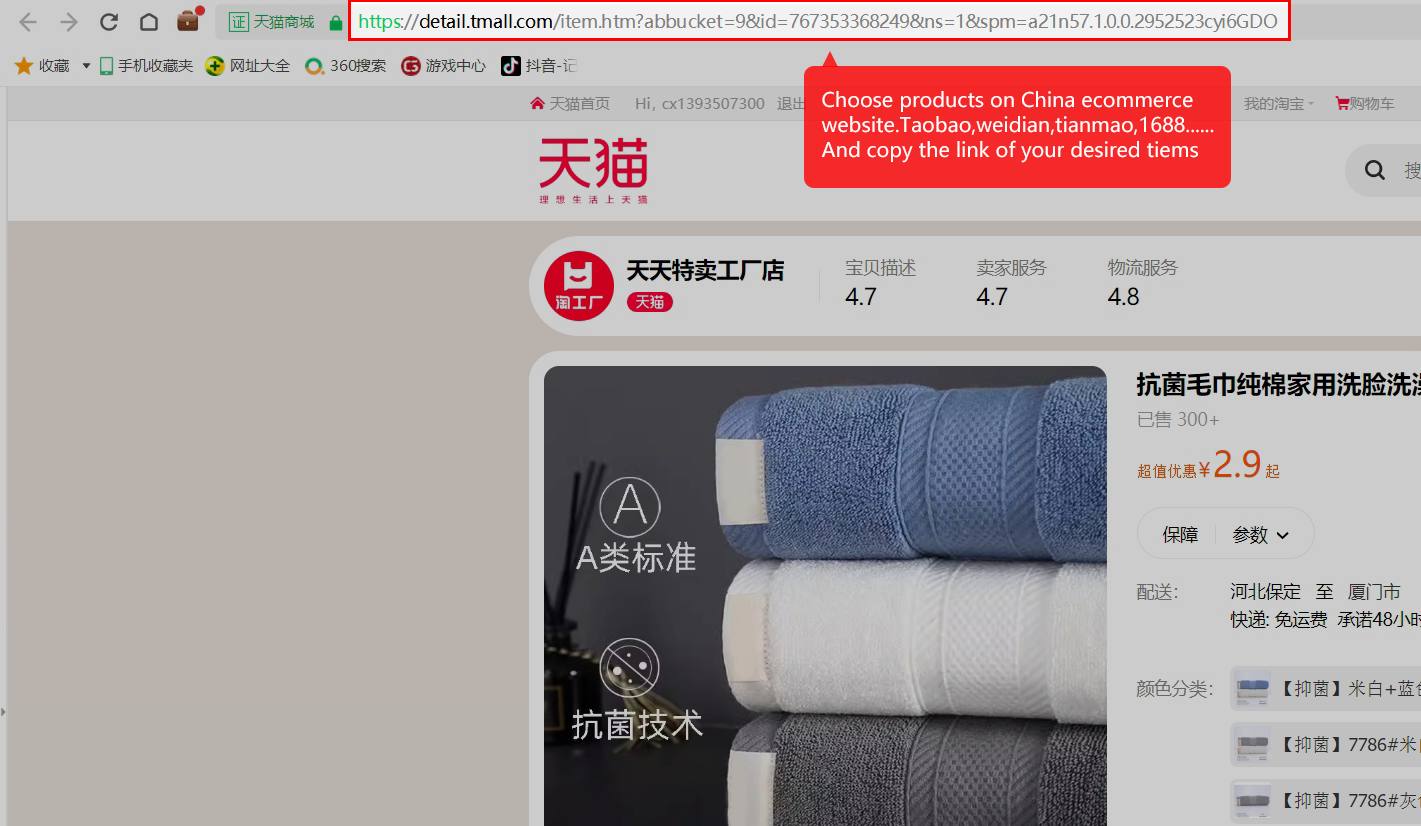
Official tutorial 01: Copy the seller’s product link.
Copy the seller’s product link. Open full size ↗
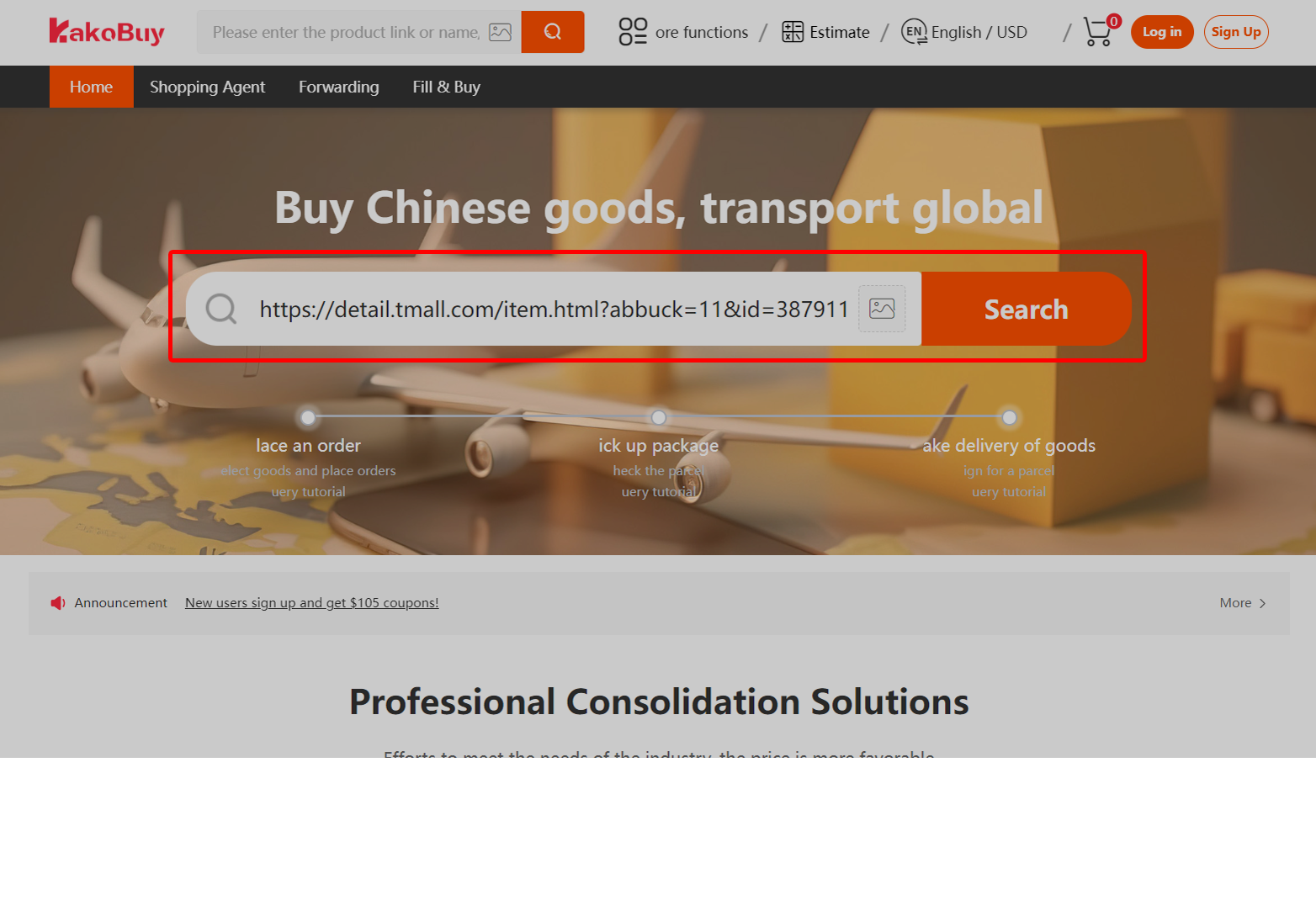
Official tutorial 03: Paste that link into Kakobuy search.
Paste that link into Kakobuy search. Open full size ↗
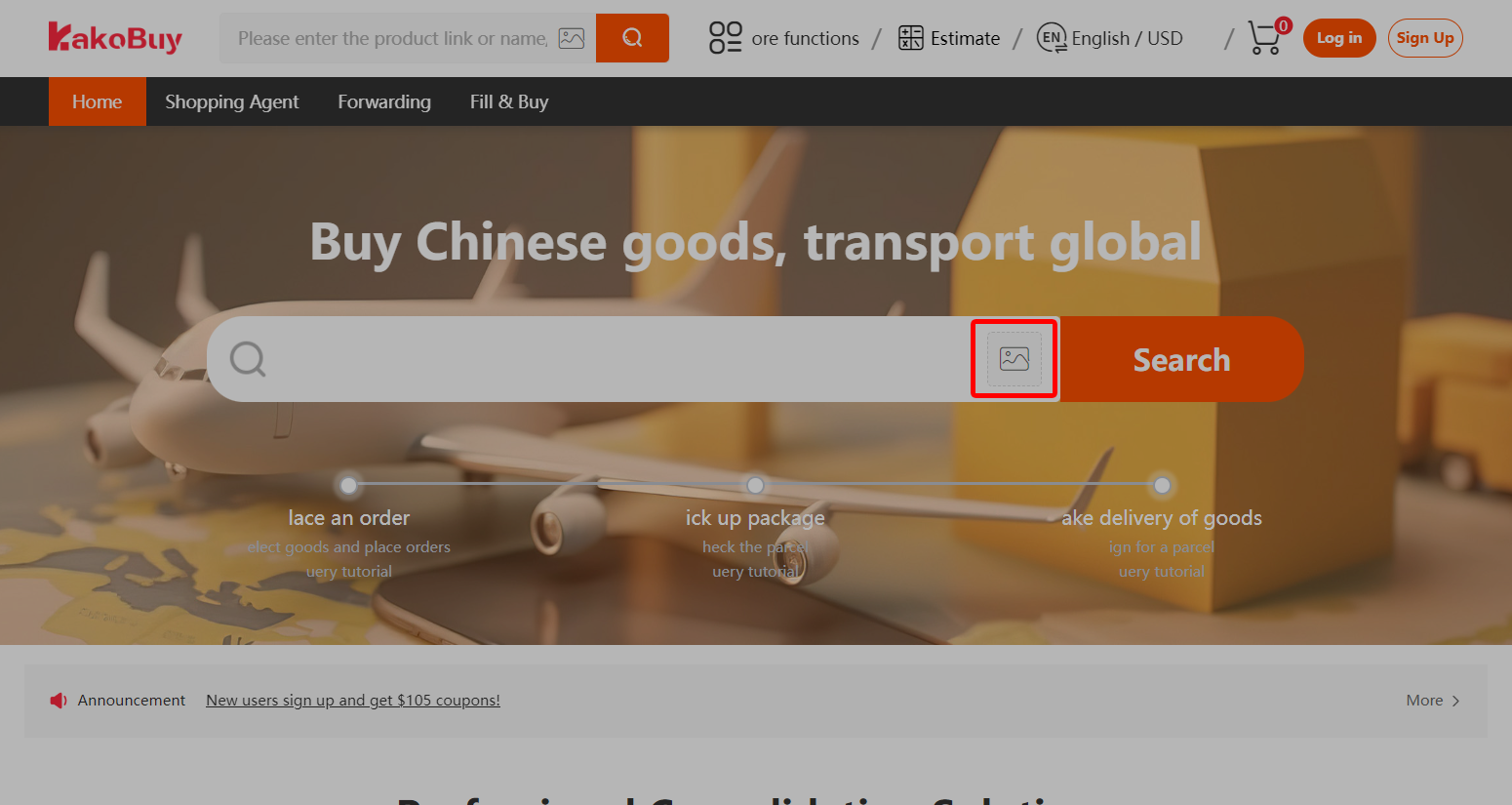
Official tutorial 02: Use the image-search button for a picture search.
Use the image-search button for a picture search. Open full size ↗
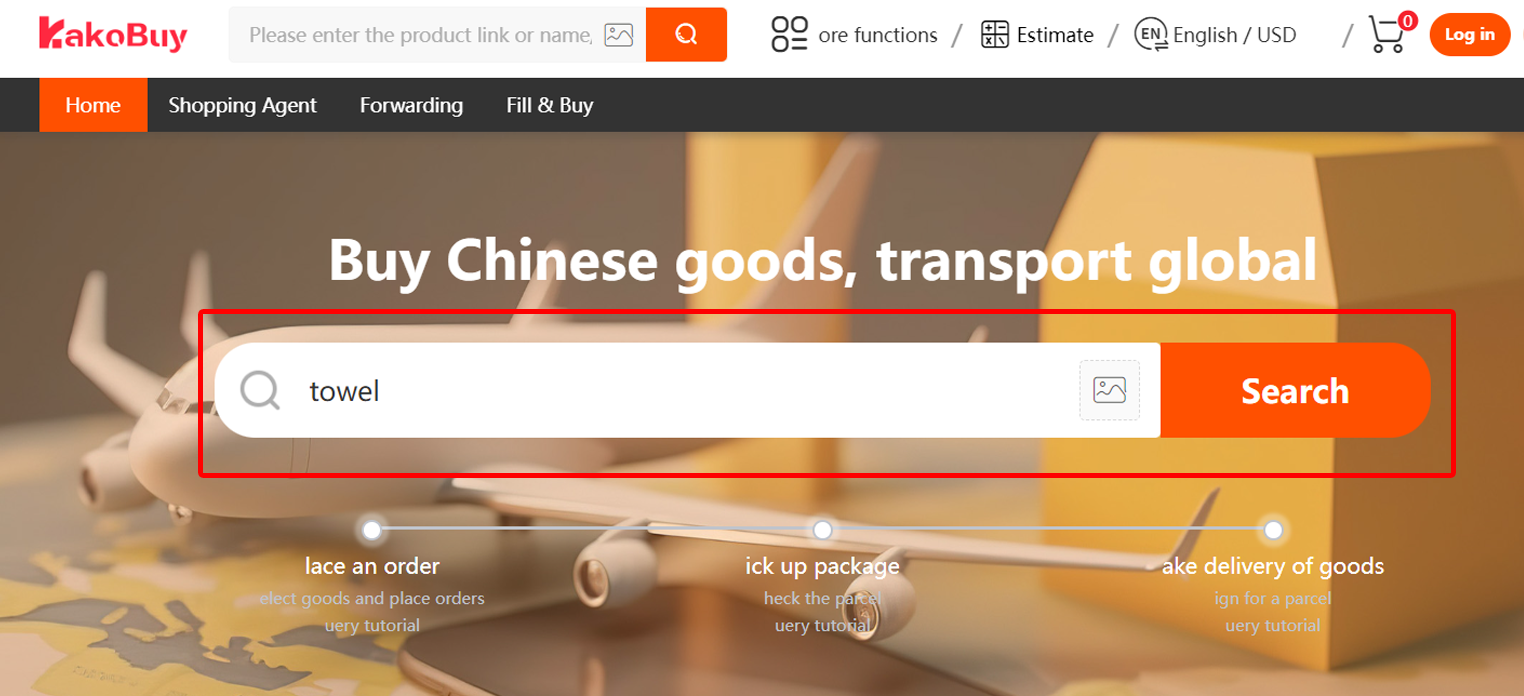
Official tutorial 04: Search by keyword and inspect the selected result.
Search by keyword and inspect the selected result. Open full size ↗

2. Submit the purchasing order

Choose size, colour and quantity accurately. Read the seller conditions and any manual-order restrictions before committing; these affect later cancellation and return options.
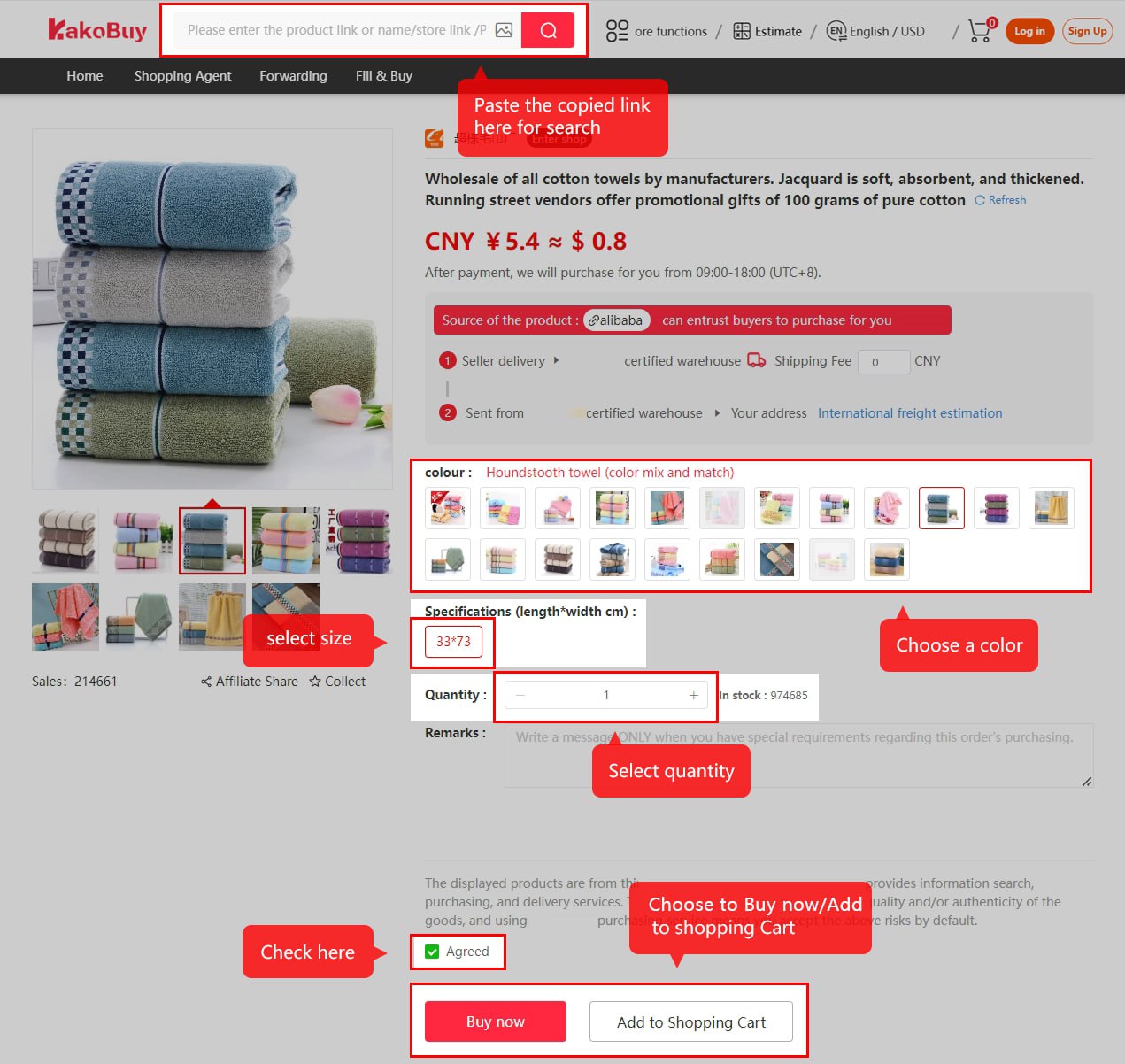
Official tutorial 05: Select the product options and quantity.
Select the product options and quantity. Open full size ↗
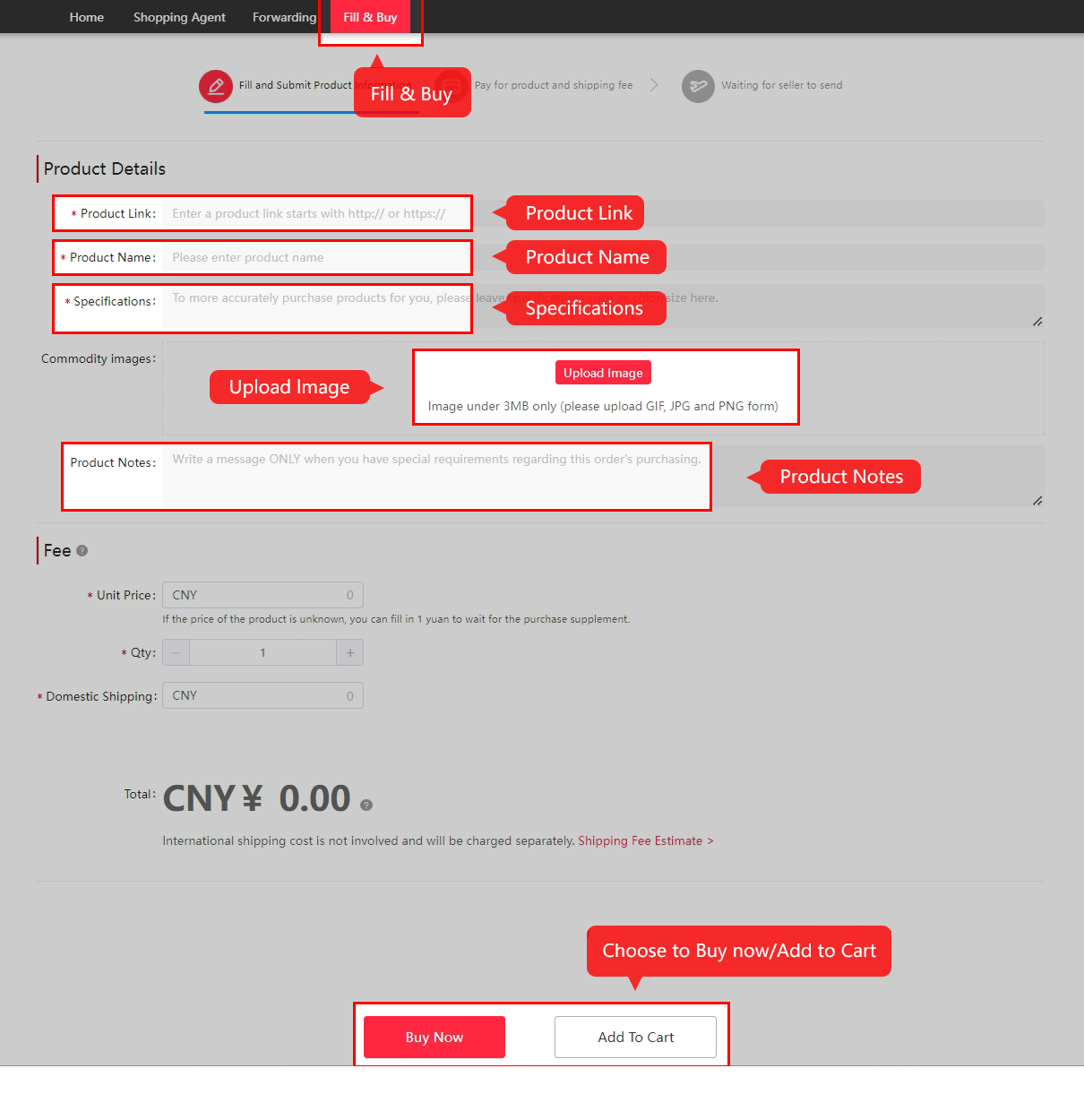
Official Fill & Buy form: product link, name, specifications, image, price and domestic shipping.
Manual Fill & Buy alternative. Use the current Kakobuy form and terms. Open full size ↗

3. Pay for goods and domestic shipping

Review the first payment, payment method and amount credited or charged. This pays for the item purchase and domestic delivery, not the later overseas parcel. Keep the payment reference.
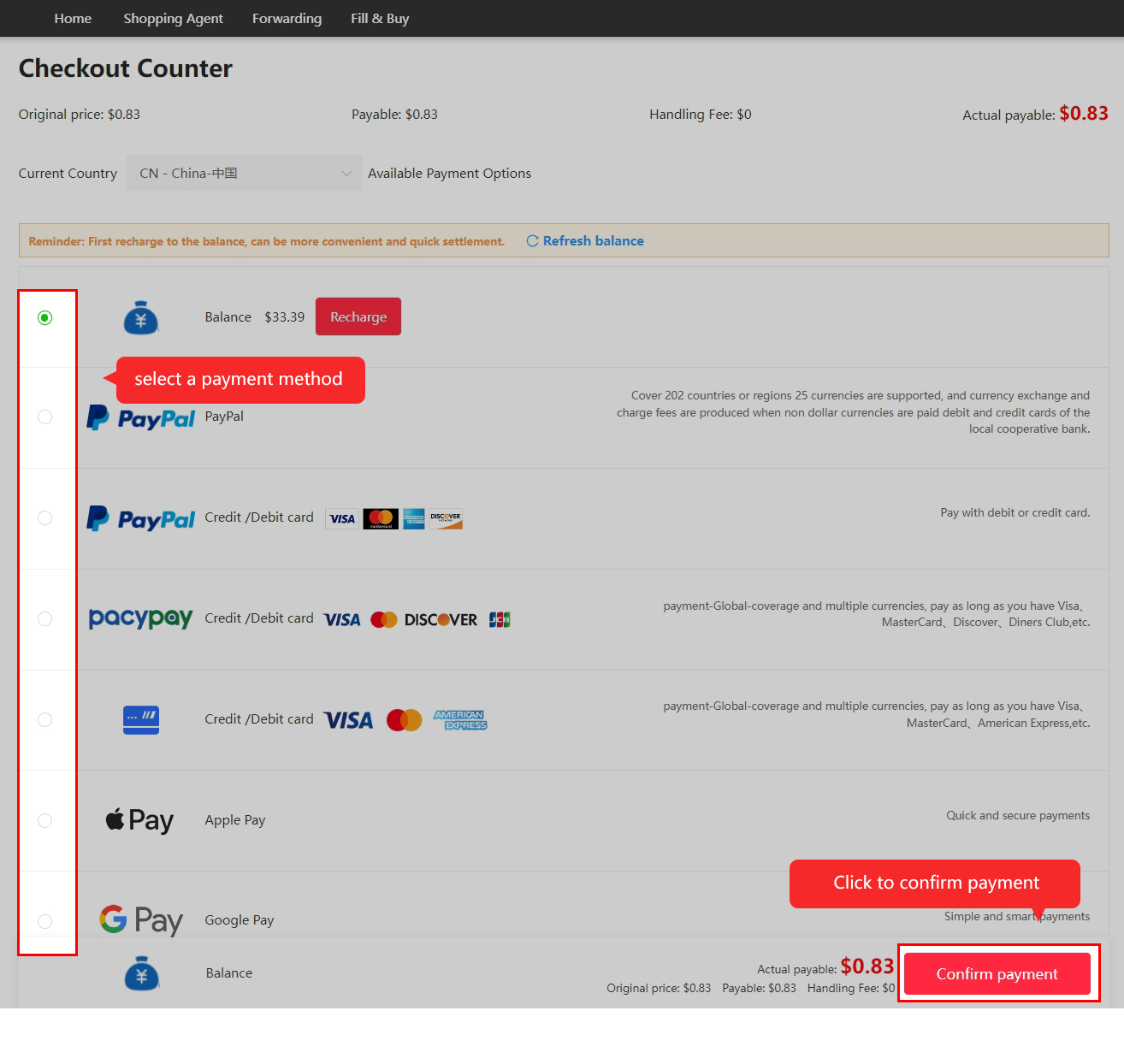
Official tutorial 07: Review the first checkout and payment method.
Review the first checkout and payment method. Open full size ↗

4. Follow purchase and seller dispatch

Kakobuy reviews the request and buys from the seller. Check any stock, price or specification message before accepting a change. Historic review and domestic-transit timings are not promises.

Official tutorial 08: The agent purchases and the seller sends the goods to the warehouse.
The agent purchases and the seller sends the goods to the warehouse. Open full size ↗

5. Inspect and store the goods

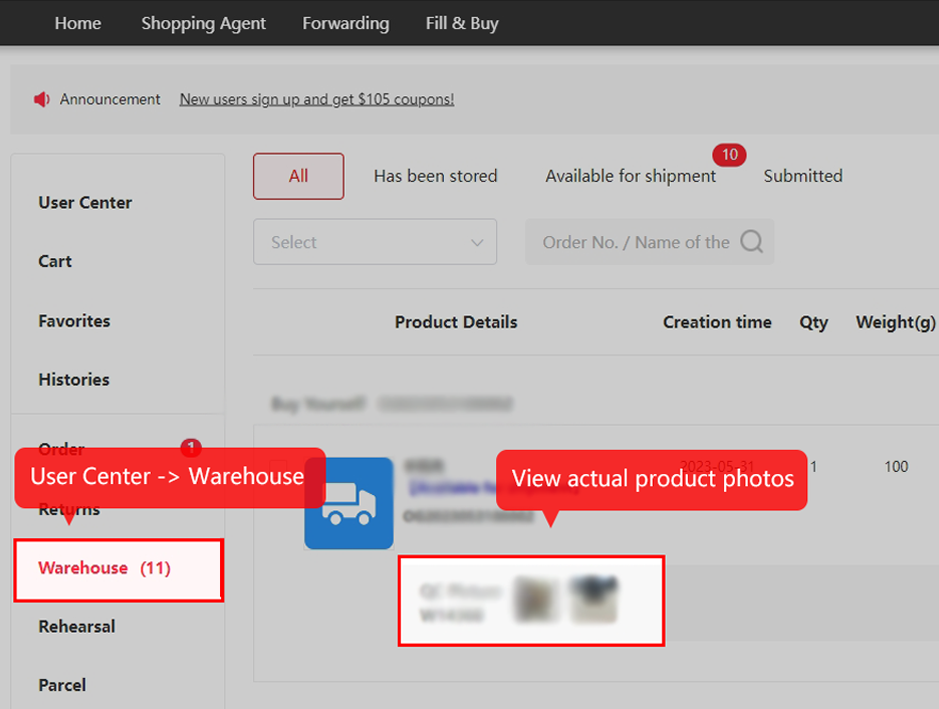
Read the actual QC images against the order. Ask a specific question and submit an eligible return request promptly; the return and storage clocks are different. Do not assume a long storage period extends a return window.
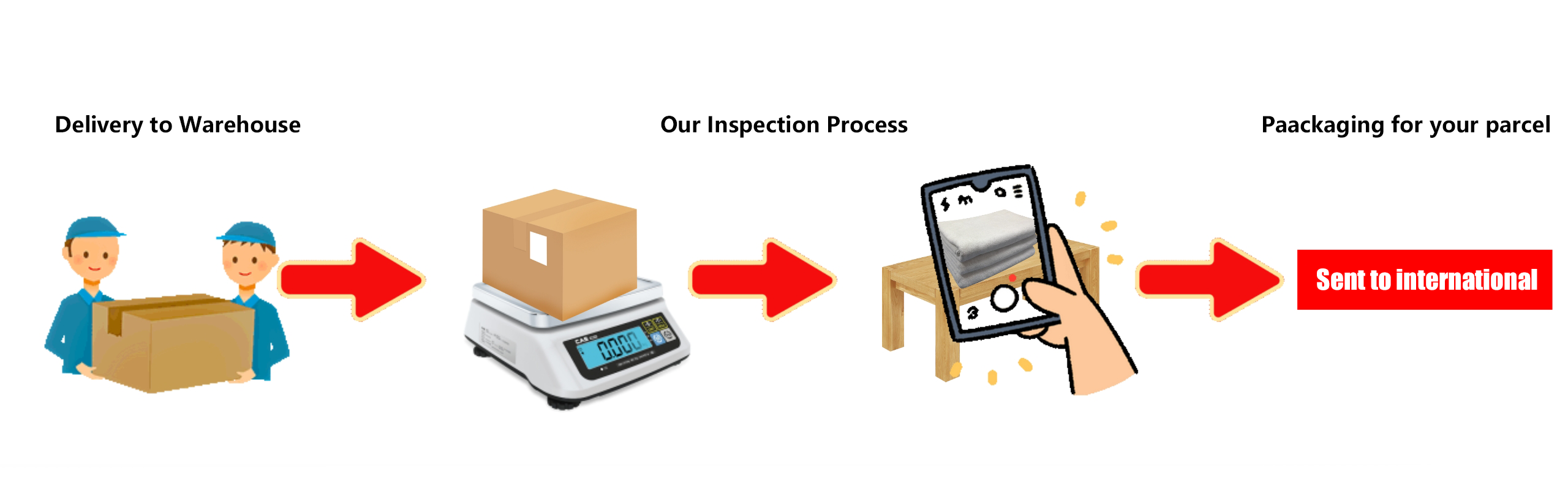
Official tutorial 09: The warehouse receives, weighs and inspects the item.
The warehouse receives, weighs and inspects the item. Open full size ↗
Official tutorial 10: Open the warehouse item’s QC photographs.
Open the warehouse item’s QC photographs. Open full size ↗

6. Submit and pay for overseas shipment

Choose reviewed items, confirm address and packing, compare eligible routes and pay the international shipment. Save the estimate and selected services so you can reconcile a final adjustment.
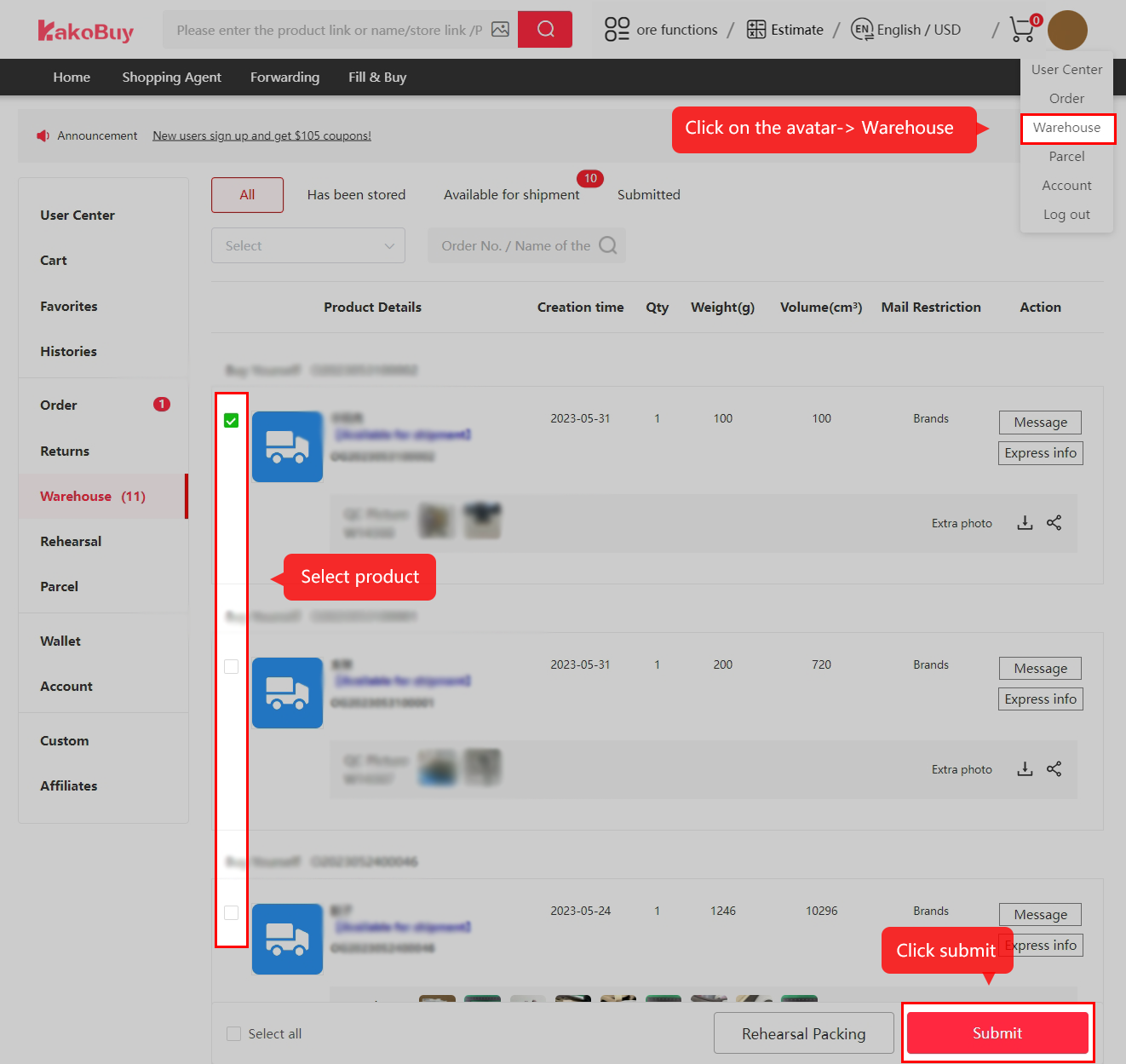
Official tutorial 11: Select the stored items for a parcel.
Select the stored items for a parcel. Open full size ↗
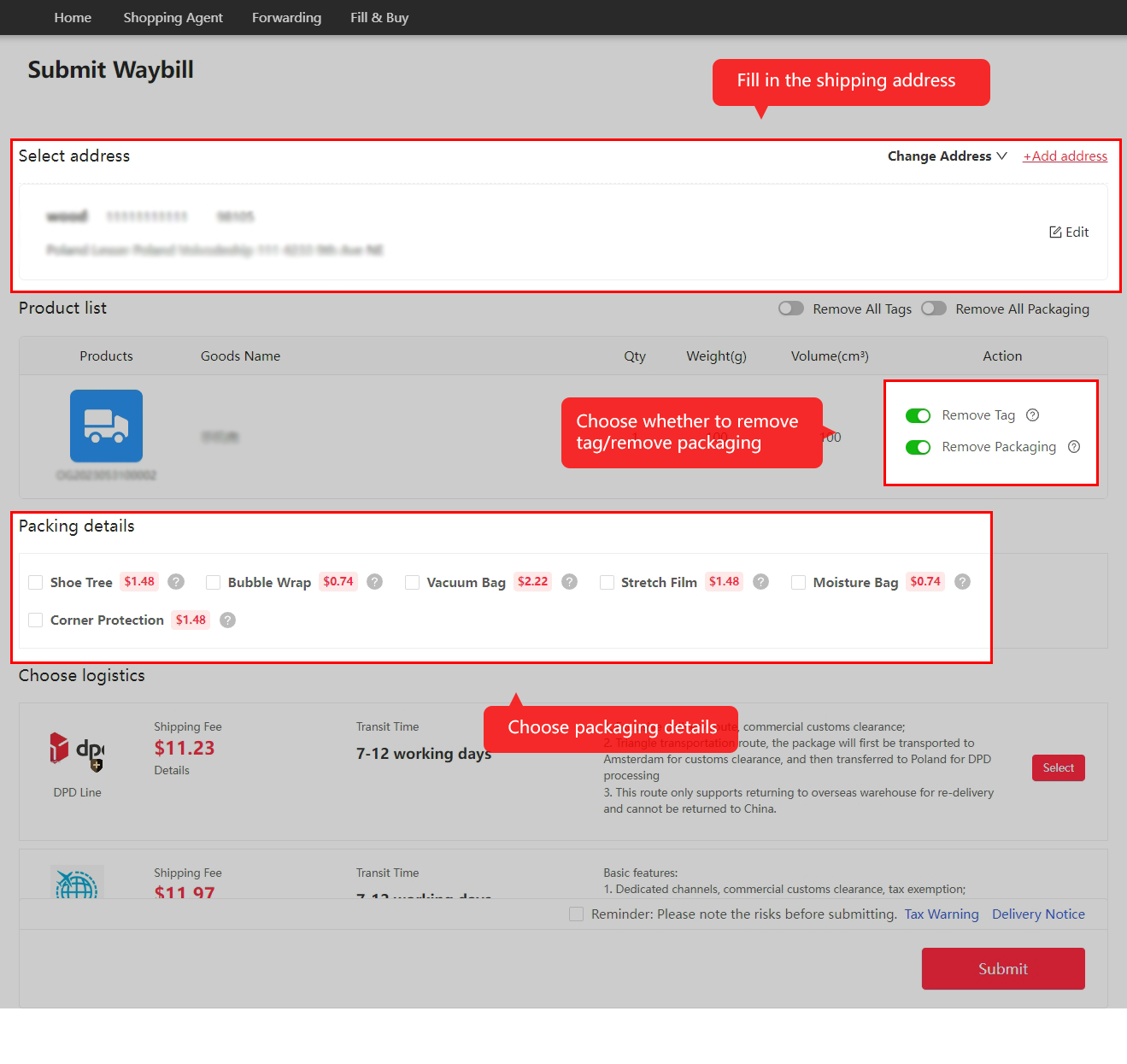
Official tutorial 12: Confirm the recipient address and packing.
Confirm the recipient address and packing. Open full size ↗
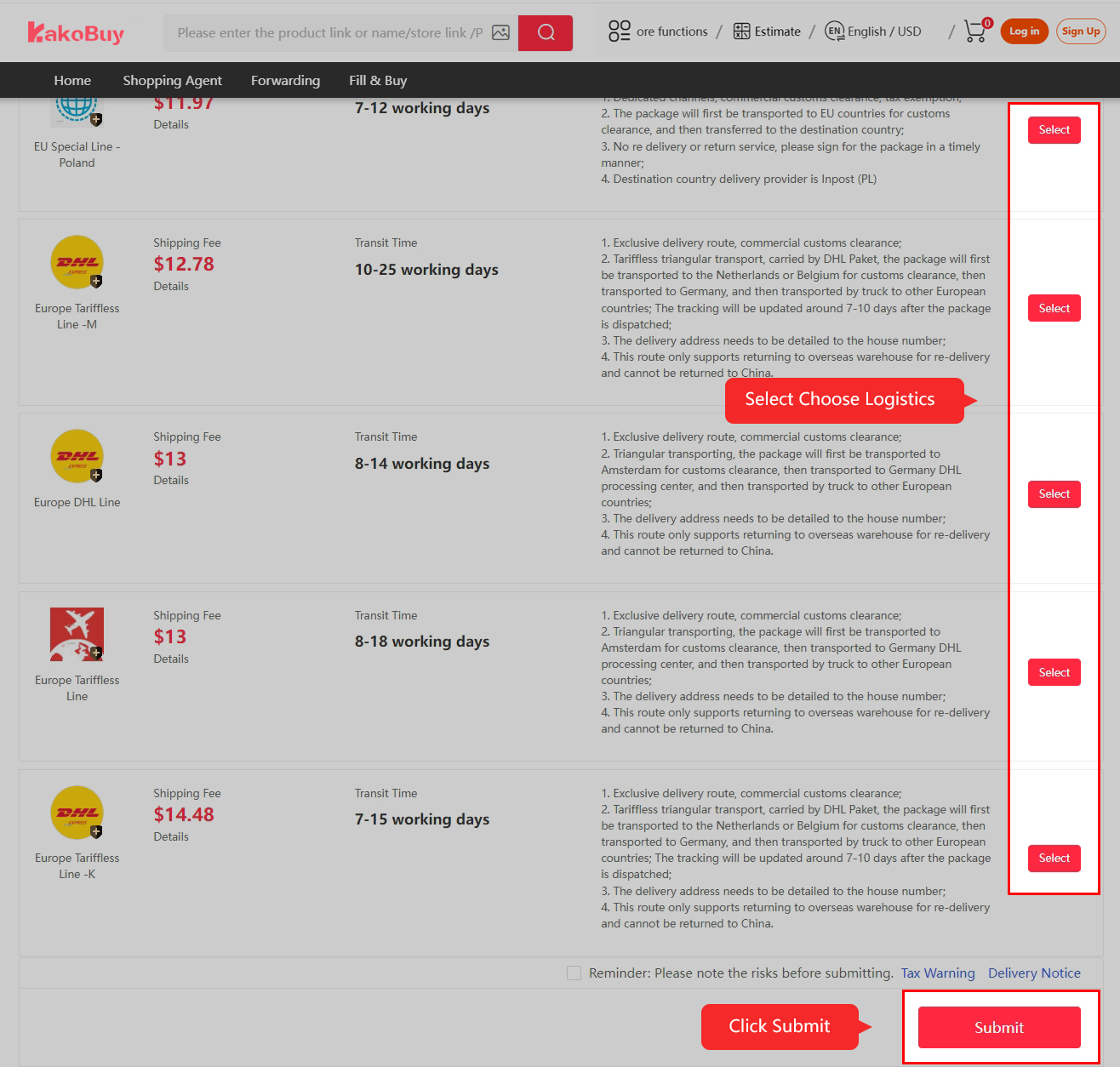
Official tutorial 13: Choose eligible logistics. The old Poland route list and prices are examples, not current offers.
Choose eligible logistics. The old Poland route list and prices are examples, not current offers. Open full size ↗
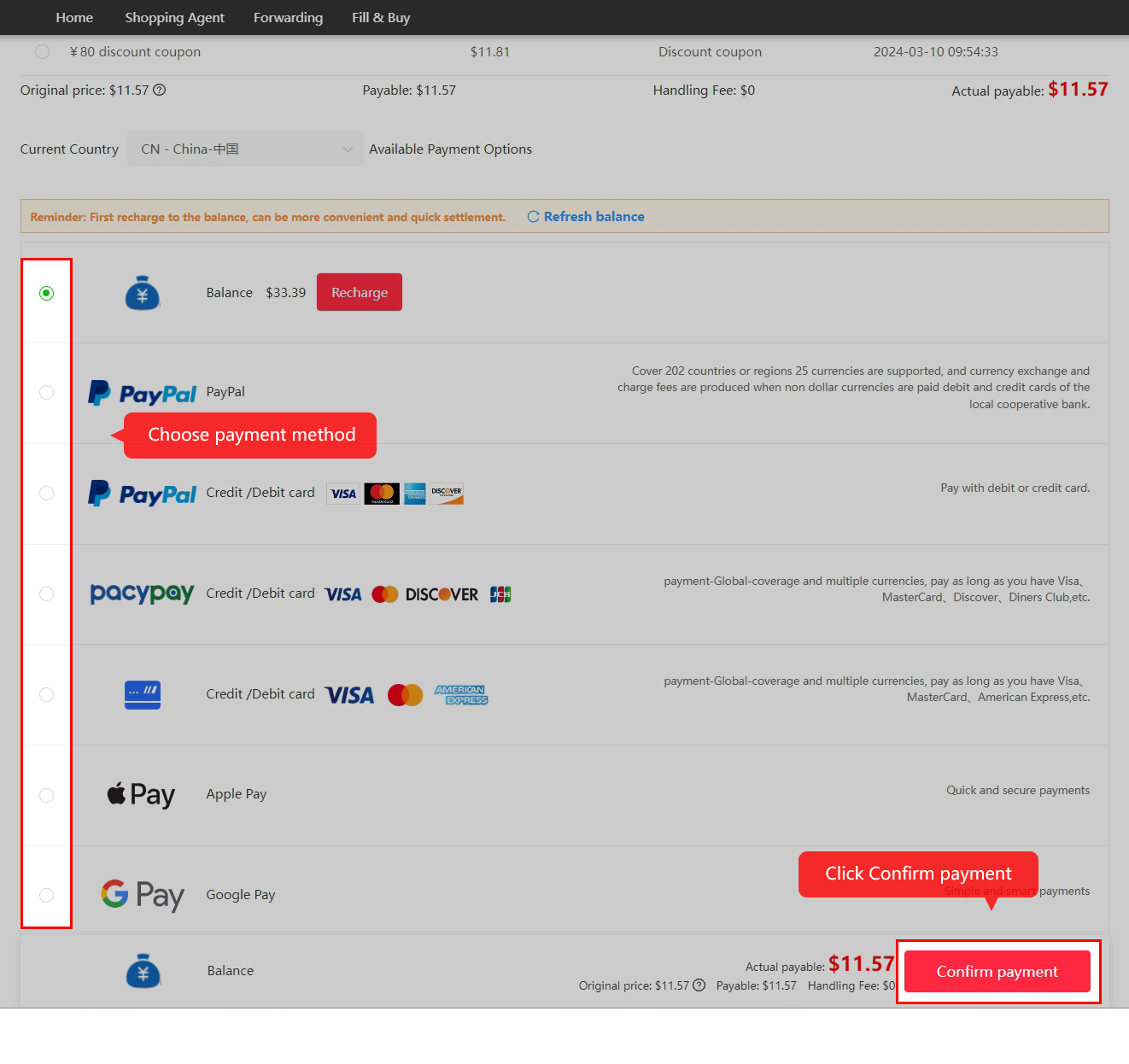
Official tutorial 14: Review and pay the international parcel checkout.
Review and pay the international parcel checkout. Open full size ↗

7. Follow packing and outbound tracking

Read the final measurement and any freight adjustment, then follow the actual dispatch and tracking record. A tracking gap is not itself a confirmed loss or an automatic insurance payout.
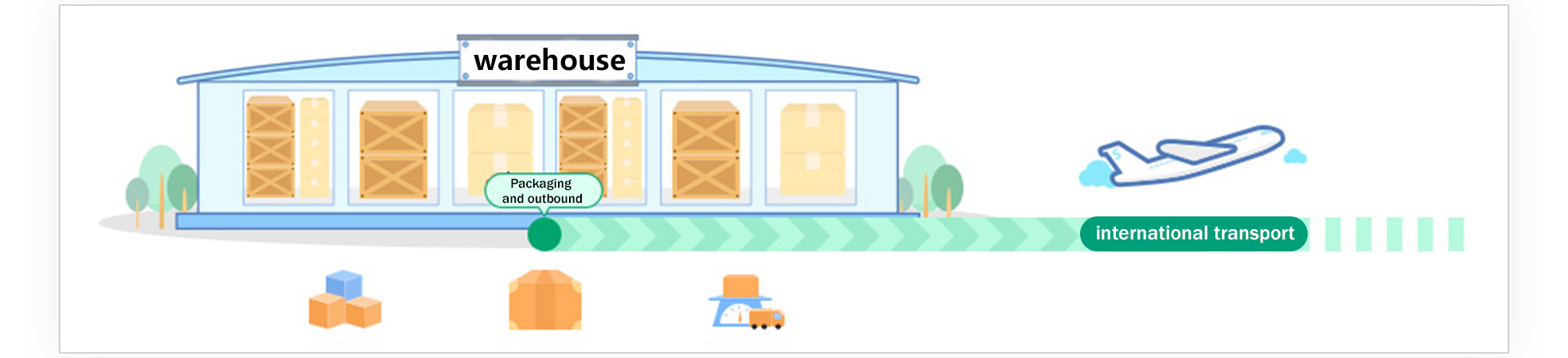
Official tutorial 15: The warehouse packs and prepares the parcel for dispatch.
The warehouse packs and prepares the parcel for dispatch. Open full size ↗
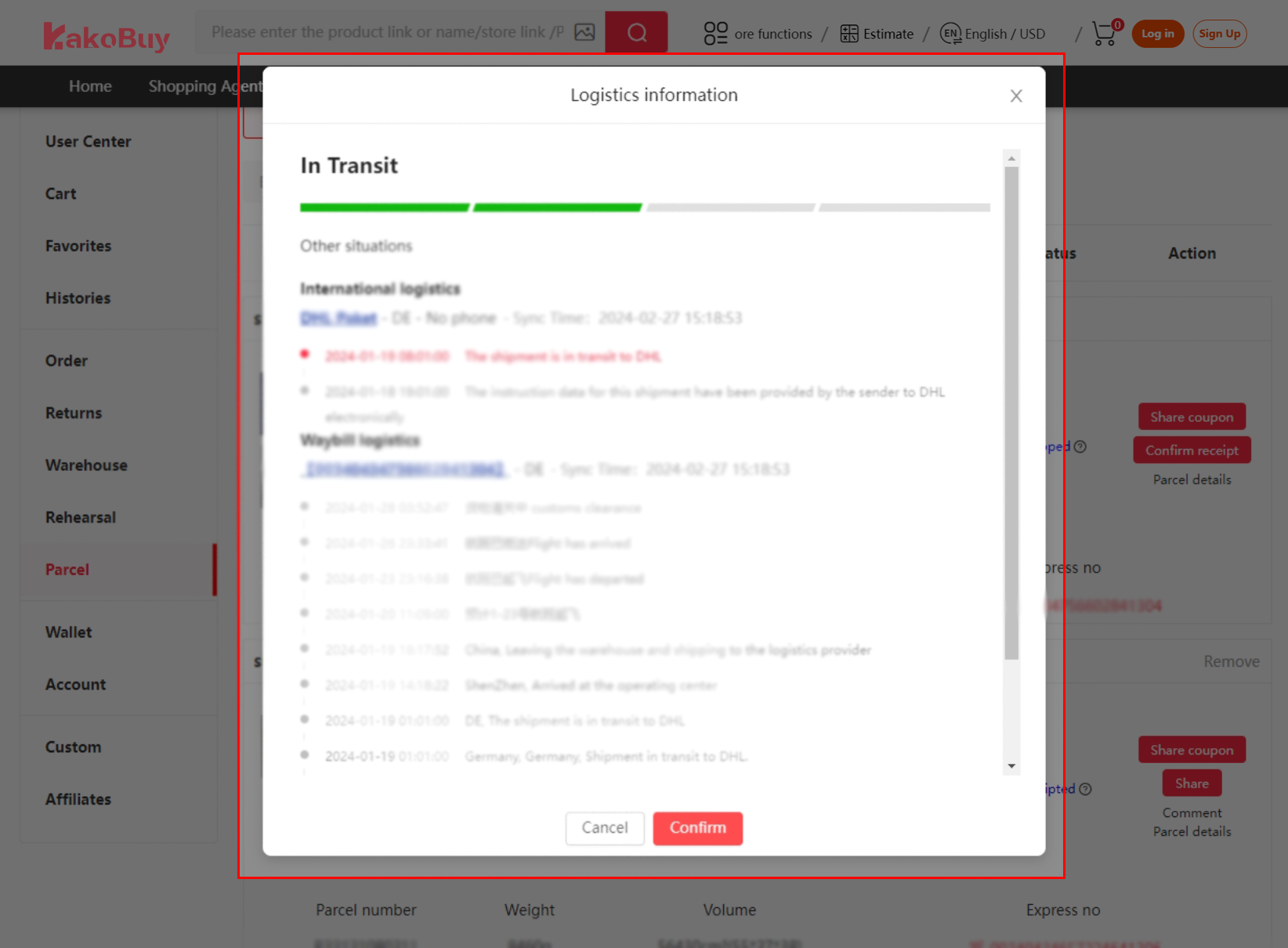
Official tutorial 16: Open the parcel’s logistics and tracking details.
Open the parcel’s logistics and tracking details. Open full size ↗

8. Inspect delivery and confirm receipt

Check the contents before confirmation. Keep relevant packaging and evidence of a genuine issue, report it promptly and check the actual carrier and support deadlines.
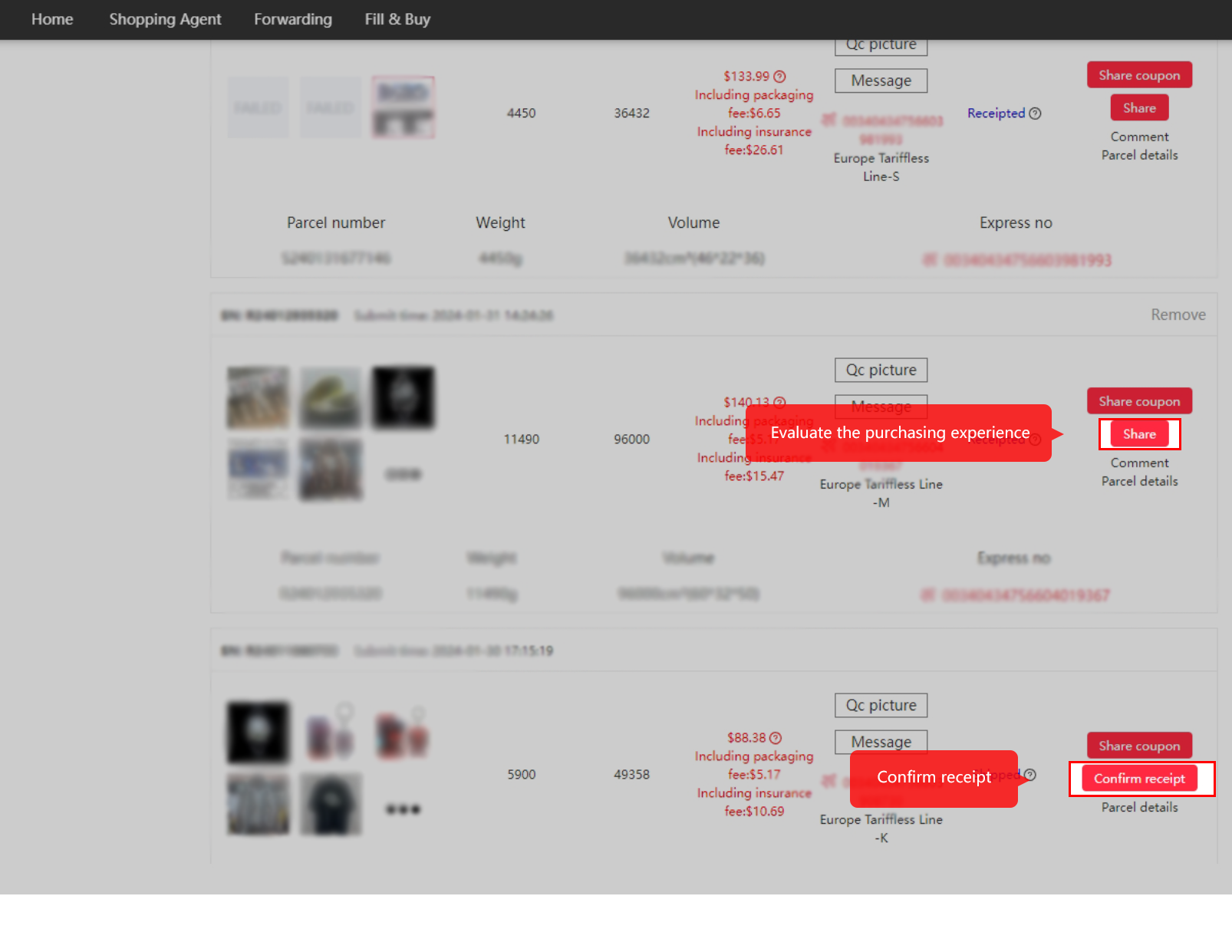
Official tutorial 17: Confirm receipt after checking the goods and parcel.
Confirm receipt after checking the goods and parcel. Open full size ↗

Keep the payment record beside the order