
Kakobuy · Spreadsheet Routes
QC photos: evidence for your next decision
Read the actual stored item against the order. A useful photo can support a question or return request; it does not decide the outcome by itself.
Search the product catalogue
In this guide
What QC can and cannot establish
Kakobuy’s captured inspection rules describe an appearance check of model, style and size. They distinguish categories that can be opened from sealed packaging that remains closed. Electronics are not given an authenticity, function or quality test under that stated scope.
Treat the images as evidence of what is visible on the actual stored item. They do not establish every hidden defect, material claim or fit. A paid photo request can answer a specific visible question but does not override the inspection scope.
Policy example: Purchase-service inspection rules, captured 10 October 2026. Check the current conditions for your order.
How to check QC before deciding
- Match the item order and seller link, then compare colour, size tag and quantity with the selected variant.
- Inspect the visible condition and included parts. Note exactly what appears different and where.
- If fit matters, ask for the relevant measurement and state units and reference points.
- Compare warehouse net weight with expectations, while remembering that final shipping uses route-specific packed chargeable weight.
- Request a targeted additional photo if it can resolve the question; do not buy extra images without knowing what they will show.
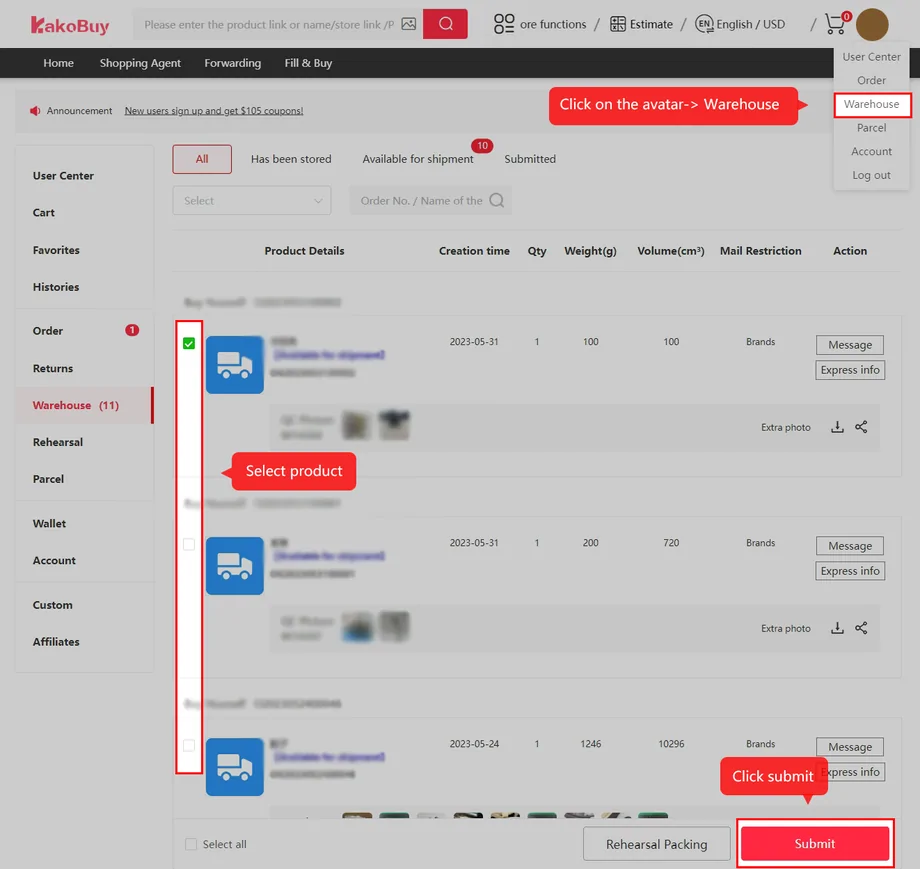
Turn the image into a specific return question
Describe the mismatch against the order: for example, “ordered the blue option, the received tag and photos show the black option.” Keep both records. Ask whether the case is accepted under the applicable return rules and which costs remain.
An RL comment from a community member does not initiate a return. Use the official item/order process and preserve the request timestamp. A seller or agent needs the exact issue, not just a community verdict.
The inspection deadline and storage deadline are separate
The captured five-day guarantee uses a 120-hour trigger from the next hour after Stocked in for eligible requests. The normal storage policy lists 100 free days; abnormal parcels have a separate 60-day period from the stated receipt event. Neither storage period extends a return window.
Check the actual item expiry. The October storage extension price is 10 yuan per OG order per 30 days, subject to eligibility and confirmation. Arrange a needed extension before the deadline; a cooling-off reference is not another guaranteed free month.
Not visible in a photo is not the same as missing
Suppose the selected product includes a detachable strap, but the first warehouse photograph only shows the bag. Check the remaining images and the seller’s exact option before alleging an omission. Ask whether the strap is inside the packaging and whether a photograph of the included parts is possible under the inspection rules.
If the answer confirms an omission, save it with the listing and item number and ask which remedy is available. If a sealed package cannot be opened, the uncertainty remains; paying for another exterior photo will not settle the contents. Decide whether to proceed using that limitation, the seller terms and the available return process.
Make the request promptly. Waiting for another photo does not extend the applicable return window, and a long storage allowance is not an inspection guarantee.